The Post Content Planner Printable Template
Creating consistent, engaging social media content often feels like running a marathon without a map. The moment of inspiration can be fleeting, and without a clear structure, your ideas quickly scatter. That's where a well-designed planning system steps in. The Post Content Planner Printable Template offers more than just a sheet of paper; it provides a dedicated thinking space that helps you craft messages your audience genuinely wants to read. Whether you're managing a brand's Instagram presence, building a personal blog, or preparing KDP interiors, this template turns chaotic brainstorming into a streamlined workflow.
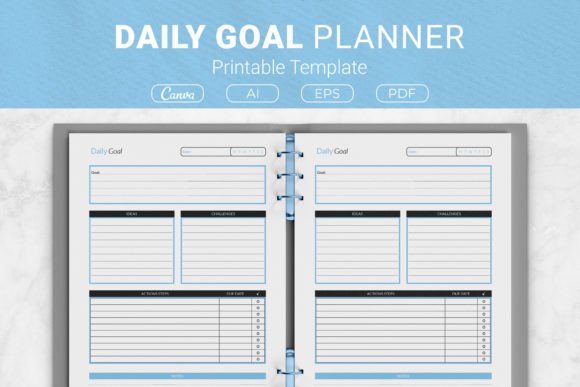
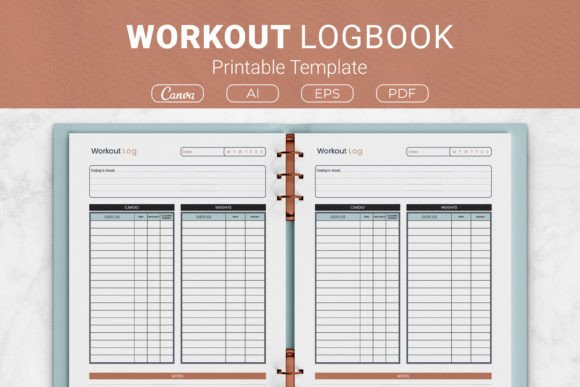
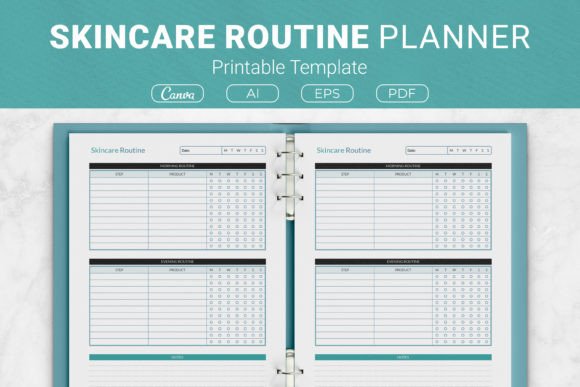
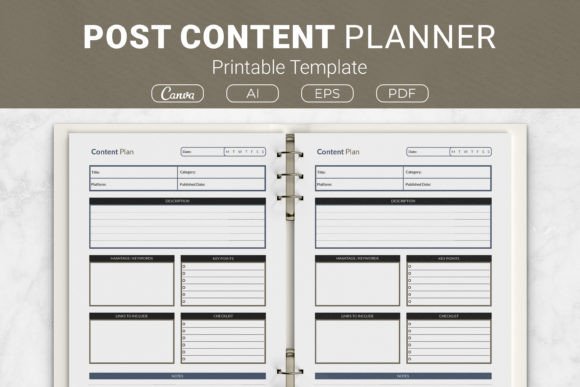
What immediately stands out is the planner's clean, approachable layout. It balances structured guidance with enough open space to let your creativity breathe. At the top, clear sections for the post description and key points define the “what” and “why” of your upcoming content. Below, dedicated areas for hashtags and keywords push you to think about discoverability from the very start. A generous notes section at the bottom catches image ideas, deadlines, or quick edits. The design itself leans on a smart typographic mix: a confident, slightly rounded sans serif for section headers that feels both modern and friendly, paired with a crisp, unobtrusive typeface for entries—ensuring your handwriting or digital callouts remain the focus.
This thoughtful balance makes the template feel less like a chore chart and more like a creative partner. Line spacing is generous, and subtle gray borders keep information compartmentalized without distraction. It prints on a clean white background, easy on the eyes during long planning sessions. Whether you fill it with a fine liner pen or use the linked Canva template to type directly, the visual experience stays calming and consistent—a small but meaningful detail that reduces the mental friction of starting a new post.
Why Structured Planning Changes Everything
Jumping into content creation without a plan often means your message gets lost. The Post Content Planner Printable Template guides you through a subtle narrative arc. The description box isn’t just a summary; it's where you define the hook. The key points section trains you to break your main idea into scannable, digestible bits—crucial when attention spans are measured in seconds. By the time you reach the hashtag field, you're already thinking like a strategist, not just a content dumper.
For small business owners and solopreneurs, this structure is a game-changer. It ensures every post, from a product launch to a behind-the-scenes story, aligns with a broader brand identity. Freelance graphic designers can use the planner to map out a week's Instagram posts, deliberately weaving in portfolio pieces, client testimonials, and educational reels. The consistent use of the template becomes a visual cue for your brain, signaling that it's time to shift into strategic mode.
Built for Multiple Platforms and Purposes
One of the standout qualities is the planner's refusal to be confined to a single use case. Because you receive the design in multiple formats—editable AI Illustrator and EPS files, print-ready PDFs, and a link to a Canva template—you can adapt it to almost any creative or commercial project. Publishing a planner on Amazon KDP? Use the US Letter or 6x9 inch sizes to create an interior that buyers will actually use. Need a branded resource for a marketing workshop? Customize the Canva version with your logo and brand colors, then print copies as handouts. The four distinct sizes (US Letter, A4, 7.5 x 9.25 inches, and 6x9 inches) fit everything from a three-ring binder to a sleek paperback layout.
From a design asset perspective, the included files behave like a flexible toolkit. The open-source AI and EPS formats let advanced users tweak every element—adjust the grid width, replace the default typeface with a premium font that matches a brand's identity, or swap the page orientation. A blogger who sells printable bundles could take this template, apply a soft pastel palette, and drop in a delicate script font for headings to give it a completely different, feminine personality. The structure remains intact, but the mood shifts dramatically. This versatility makes the planner not just a ready-to-use printout but a foundational piece of your design library.
Practical Tips for Day-to-Day Use
Treat the Post Content Planner Printable Template as a living document, not a one-off worksheet. Print or duplicate the blank page enough times to batch-plan content for a full month. Start with the notes section first: dump everything on your mind—random phrases, questions, visual metaphors. Then migrate those nuggets into the structured fields. This reverse approach prevents you from staring at an empty description box and getting stuck.
Pay attention to the template's visual hierarchy. The prominent “Key Points” area encourages short, punchy lines—a subtle training for writing social media captions people actually read. Pair this habit with a thoughtful look at your overall brand identity. The fonts you use in your actual posts should feel cohesive with the planner's clean, modern tone. If you design a quote card to accompany a planned post, you might choose a tall display font for the main line and a tidy sans serif font for the attribution—a combination that mirrors the template's own clarity. That visual consistency strengthens recognition and trust.
From Home Office to Professional Publisher
The extensive format support opens doors for commercial ventures. For Kindle Direct Publishing creators, the Post Content Planner Printable Template is a ready-to-ship product interior. The PDF files are already sized correctly for KDP standards, so you can combine them with a custom cover and publish a practical journal without starting from scratch. The versatile usage note makes it clear that it's ideal for KDP interiors—a huge time-saver for publishers wanting to add a high-quality, low-content book to their catalog quickly.
Beyond KDP, this template fits effortlessly into client work. Social media managers can personalize the Canva version with a client's logo and use it as a monthly planning worksheet during strategy calls. The professional layout communicates serious intent, giving clients a tangible deliverable they can keep on their desk. For creative teams, the AI file can live in a shared drive, allowing multiple designers to adapt the grid for different campaigns while maintaining a unified planning framework. It's a subtle way to embed a consistent design language across all activities.
How the Planner Strengthens Your Content Strategy
The Post Content Planner Printable Template encourages you to treat each post as a small project with a goal, not just a box to check. The dedicated hashtag and keywords section forces you to research what your audience is actually searching for, uncovering new topic angles. Over weeks of use, you'll accumulate planned posts that reveal patterns—perhaps your most effective posts all begin with a question or include three clear benefits. This macro-level insight is nearly impossible to spot when writing on the fly in a phone app.
For those comfortable with modern typography, the template also becomes a playground for typographic experiments. In the AI file, swap the default heading font for a serif with pronounced ball terminals, and the planner takes on an editorial, magazine-like feel. Use a geometric sans serif and it suits a tech startup's planning. A wedding photographer might use a delicate serif font for section titles, while a fitness coach might go with a bold, compressed typeface—each decision subtly influences the mindset you bring to the planning session.
Readability is another unsung hero. The original typography choices prioritize legibility, so you can quickly scan a completed sheet and recall your plan. When you print multiple copies and file them in a binder, that clarity pays off. The fonts stay sharp at various sizes, and the open-source EPS file ensures crisp text even if you scale the layout.
Fitting the Planner Into Your Daily Workflow
Start by printing the size that matches your binder or planner system. If you're a pen-and-paper person, keep a stack on your desk and fill one out every evening for the next day's post. If you prefer a digital-first approach, pull up the Canva template on your tablet and use a stylus. The point is consistency: the more you use the planner, the more instinctive strategic thinking becomes. The minimalistic design doesn't compete with your ideas; it supports them—a rare quality in a market flooded with over-designed planners.
The Post Content Planner Printable Template is ultimately about transformation—turning scattered thoughts into purposeful narratives and a chaotic social media presence into a cohesive brand. It bridges the gap between creative impulse and editorial discipline. Whether you're creating content for a global brand or simply sharing your side hustle with more clarity, this planner gives you the framework to show up with confidence. And because it arrives as an extensive bundle of design assets, from vector source files to ready-to-print PDFs, it's built to grow with you.